Friday, December 3, 2010
Windows Open source softwares
1) VLC
VLC is one of the most flexible multimedia players available. It supports a vast number of audio and video formats, including H.264, Ogg, DivX, MKV, TS, MPEG-2, mp3, MPEG-4, and aac, and it supports streaming and TV capture cards. VLC isn't limited to viewing multimedia files, either. It can convert and transcode formats, too.
2) Gnumeric
Gnumeric is the spreadsheet portion of the GNOME Office suite (as well as a stand-alone tool). It has been around for quite some time and is an outstanding entry in the spreadsheet world. Gnumeric currently has 520 spreadsheet functions (154 of which are unique) and is faster than any spreadsheet application you have ever tried. Gnumeric can read many spreadsheet formats, but if you're looking for a clone of Excel, look elsewhere.
3) Abiword
Abiword is also a part of the GNOME office suite (as well as a stand-alone tool), and it can serve all your word processing needs. With Abiword, you can create and collaborate. It's lightweight, fast, reliable, and (like all tools on this list) free! Abiword can read and write both Microsoft Office and OpenOffice document formats.
4) Audacity
Audacity is an incredible piece of software for recording and editing sounds. You can use it to record live audio, convert analog recordings to digital, cut/copy/splice, change speed and pitch, and import/export numerous formats. Audacity can also remove noise and add effects. If you're looking for an open source recording studio, don't overlook Audacity.
5) Inkscape
Inkscape is a powerful vector graphics editor similar to Illustrator, Corel Draw, and Xara X. It closely adheres to W3C standard SVG file format, so you can be sure that any SVG file created with (or edited by) Inkscape will work with any other standards-compliant tool. One nice aspect of Inkscape is the availability of numerous tutorials, which you will find on the Inkscape site and on other sites.


Red Hat Tips and Tricks
1) Wiping a hard Drive
Have you ever needed to completely wipe out critical data from a hard drive? As we all know, mkfs doesn’t
erase a lot. (You already knew this, right?) mkfs and its variants (e.g., mkfs.ext3 and mke2fs) only get rid of a few important data structures on the filesystem, but the data is still there! For a SCSI disk connected as /dev/sdb, a quick
dd if=/dev/sdb | strings
will let anyone recover text data from a supposedly erased hard drive. Binary data is more complicated to
retrieve, but the same basic principle applies: the data was not completely erased. To make things harder for the bad guys, an old trick was to use the ‘dd’ command as a way to erase a drive.
Note: This command will erase your disk!
dd if=/dev/zero of=/dev/sdb
There’s one problem with this: newer, more advanced, techniques make it possible to retrieve data that were
replaced with a bunch of 0s. To make it more difficult, if not impossible, for the bad guys to read data that was previously stored on a disk, Red Hat ships the “shred” utility as part of the coreutils RPM package. Launching “shred” on a disk or a partition will write repeatedly (25 times by default) to all locations on the disk.
Note: Be careful with this one too!
shred /dev/sdb
This is currently known to be a very safe way to delete data from a hard drive
2) USB when the Drivers not available
As a way to save a few valuable pennies on newer PCs, manufacturers are increasingly getting rid of the good old PS/2 keyboard and mouse interfaces. As a result, some recent systems only ship with USB ports to which we need to connect a USB keyboard and mouse. USB is all well and good, but what if the driver for your USB controller is not loaded? In practice, this is not a problem, as Red Hat loads the ehci- hcd and uhci-hcd drivers automatically at boot time. There are situations, namely in emergency mode, where the USB drivers won't be available. So you won't even be able to enter a command. This is due to the fact that in emergency mode all drivers need to be provided in the initrd file under /boot, and USB is not there by default. The trick is to add those drivers, so that they will be available earlier. The 'mkinitrd' command can do precisely that with the '--with' argument (this only works under RHEL4):
mkinitrd --with=ehci-hcd --with=uhci-hcd /boot/newinitrd-`uname -
r`.img
`uname -r`
Add a new entry in your grub.conf file (always do backups!) that points to this new initrd image, and you're
done! Your USB keyboard now works in emergency mode.
Thursday, December 2, 2010
Cell Phones with high radiation levels - 2010
There are many cell phones in the market used by the people so there are also some cell phones with the high radiation, this does not tells that these cell phones are harmfull, they are also approved by the by checking the SAR level, so its your choice to select the better..
1) Blackberry Bold 9650, SAR level 1.43

2) Blackberry Tour 9630, SAR level 1.43


5) Motorola i576 , SAR level 1.45

6) Verizon LG Chocolate Touch, SAR Level 1.47

7) HTC Desire, SAR Level 1.48


9) LG Rumar 2, SAR Level 1.51


Wednesday, December 1, 2010
Interesting Features in Windows 8
Hi guys We all know that windows 7 has really made the turning point for Microsoft because of its user interface , performance , stability etc, like windows 7 Microsoft is planning to give more features in the upcoming OS Windows 8 which is going to released in 2014, i came to know abut some of the feature in the Windows 8 OS
Microsoft is planning to make Windows 8 an 128-bit operating system, according to details leaked from the software giant’s Research department. The discovery came to light after Microsoft Research employee, Robert Morgan, carelessly left details of his work on the social-networking site, Linked.
“Research & Development projects including 128-bit architecture compatibility with the Windows 8 kernel and Windows 9 project plan”

The senior researcher’s profile said he was: “Working in high security department for research and development involving strategic planning for medium and long term projects. Research & Development projects including 128-bit architecture compatibility with the Windows 8 kernel and Windows 9 project plan. Forming relationships with major partners: Intel, AMD, HP and IBM.”
A move to 128-bit support would be a bold move for Microsoft. Many outsiders were urging Microsoft to make Windows 7 64-bit only, but the company continues to offer a 32-bit version of the forthcoming OS.
Microsoft has said very little publicly about Windows 8, although on a visit to the UK earlier this week, CEO Steve Ballmer denied rumours that Windows 7 would be the last major client OS the company
produced. Ballmer admitted that planning was underway on Windows 8, although it’s highly unlikely that the OS will arrive until 2012 at the earliest.
This Slashdot comment raises some interesting points:
“Most 64-bit processors provide 40 or 48 bits of address space; they ignore the other two or three bytes of the address (often they support a larger virtual address space than physical, but even then it’s usually less than 64-bit). I’ve yet to see a consumer- grade machine with more RAM than PAE (36-bit addressing) could address. That said, memory is not the only place where the number of bits is important. Hard
drives are typically addressed by 512-byte blocks, so 32 bits gives you 2TB, which is a single disk these days. 64 bits gives you 8ZB, which is quite a lot, but it’s not a completely unreasonable amount; some people are going to find that constraining in the next few years, which is why ZFS uses 128 bits. It’s not that 128 bits are necessary, so much that 65 bits are and 128 is the most computationally-convenient size after 128. Making sure everything in the kernel supports 128-bit filesystem offsets is an important for long-term project.”
Seems to me the future of Wine is going to also have be 128 bit to remain relevant and run the future 128 bit Games and Office tools that are geared for the future Windows OS. Possibly by the time of Windows 8 this will be when they finally kill off 32 bit support and release 64 bit and 128 bit versions of Windows. Looks as if the ground work for 128 bit computing is being set now and therefor a future 128 bit release of our favorite Windows re implementation Wine.
NOTE :- This information is based on currently available resources and might become
irrelevant after the official announcement of WINDOWS 8
Tuesday, November 30, 2010
How to hide Folder (can be retrived only with name)
Hi guys everybody will think of hiding their folder on order to protect their personal contents so each and everybody's option will be only for looking for a software for hiding their folder but here i m going to show u the tricks to hide the folder.
1) Select the folder which you need to hide.
2) Then go to the cmd and then make a link to the folder which u need to hide.
3) Then type "attrib +a +h +r +s <folder name>" in the cmd.
4) Then u ll see that the folder which u have created ll be hidden.
5) Then to retrive the folder in the cmd go to the location where u have placed the folder and type "attrib -a -h -r -s <folder name>, now u can see your folder.
The hidden folder cannot be seen when you choose the disable option in the folder options in your desktop.
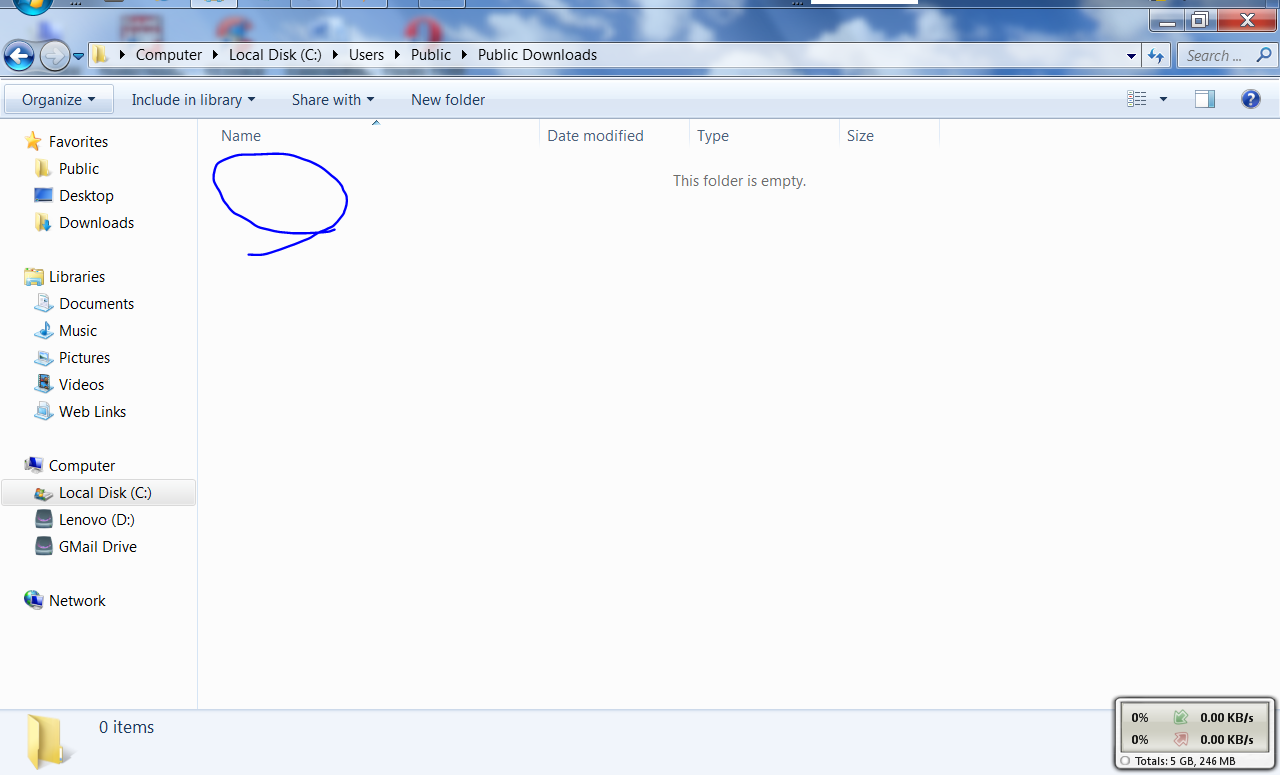
here are some pics for your reference.


Subscribe to:
Posts (Atom)